
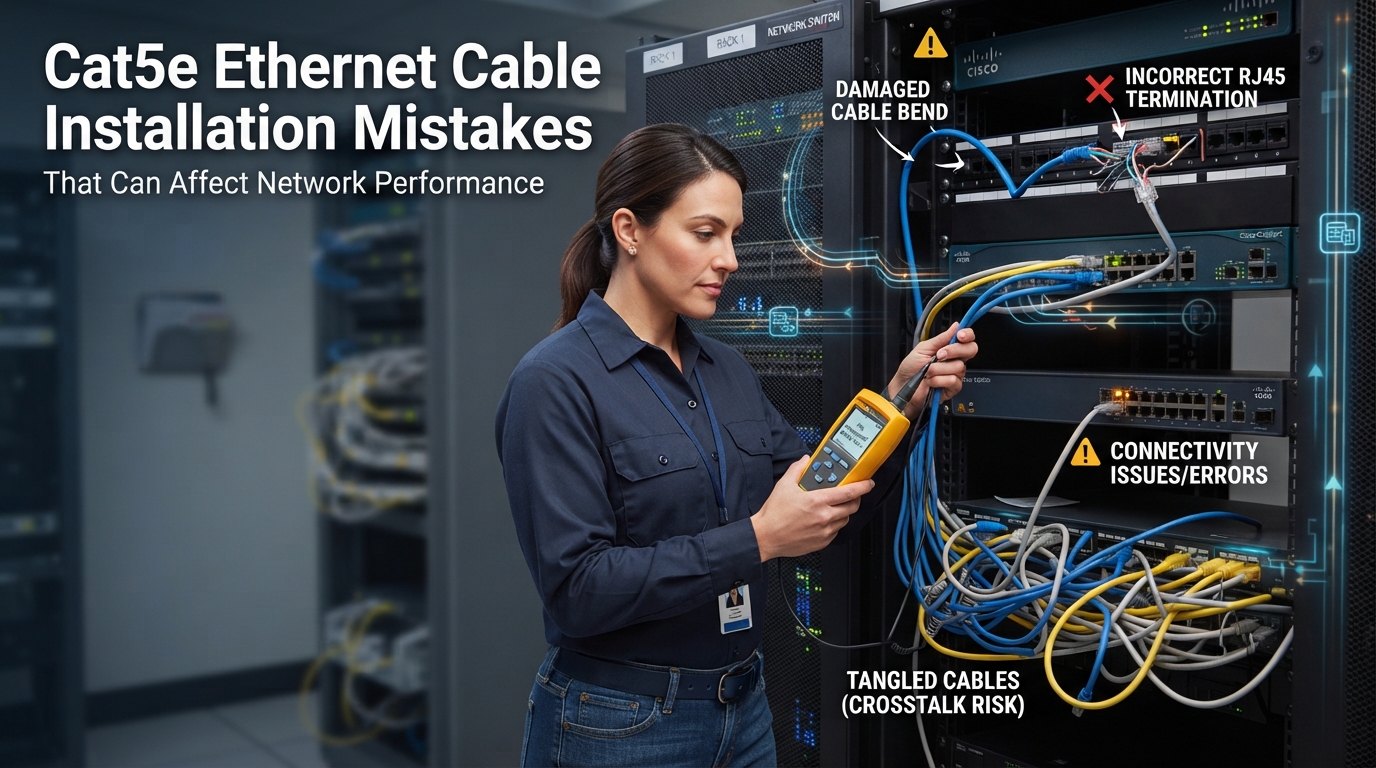
Buying quality cable is only half the battle. Even the best Cat5e Ethernet Cable on the market will underperform if it’s installed incorrectly. Installation mistakes are one of the most common and most overlooked causes of slow speeds, unstable connections, and network failures that leave homeowners and businesses scratching their heads.
The frustrating part is that these problems often don’t show up right away. A network might work fine for a few weeks or months before intermittent drops, sluggish speeds, or PoE power issues start creeping in long after the installer has moved on to the next job.
Cat5e Ethernet Cable is a genuinely reliable option for most networking and CCTV projects, but only when it’s installed the right way. And sourcing quality cable from a trusted supplier like BN Cables is only step one proper installation is what actually determines whether that cable performs the way it should.
Understanding the Importance of Correct Cat5e Ethernet Cable Installation
Ethernet cables transmit data as electrical signals across twisted copper pairs inside the cable. That twisting isn’t cosmetic it’s specifically engineered to cancel out interference between the pairs. Anything that disrupts this design, whether it’s poor termination, physical damage, or environmental interference, can degrade the signal traveling through the cable.
Installation mistakes tend to show up in a few predictable ways:
- Network speed drops as signal quality degrades.
- Data transmission becomes inconsistent, causing packet loss or timeouts.
- PoE performance suffers when power delivery to cameras or access points becomes unreliable.
- Cable lifespan shortens as physical stress accumulates over time.
Understanding where these issues come from is the first step to avoiding them.
Common Cat5e Ethernet Cable Installation Mistakes
1. Using Low-Quality or Incorrect Cable Type
Not all Cat5e cable is built the same. Cables made with Copper-Clad Aluminum (CCA) instead of pure copper conductors are cheaper, but they carry electrical current less efficiently. That’s a real problem for PoE-powered devices like cameras and access points, which depend on consistent power delivery through the cable.
Choosing the right cable for the specific project solid vs stranded, shielded vs unshielded, indoor vs outdoor rated is just as important as choosing a reputable manufacturer.
2. Exceeding the Maximum Cable Length
Cat5e Ethernet Cable is rated for a maximum run of 100 meters (about 328 feet) before signal quality starts to degrade. Installers sometimes push past this limit, especially in larger buildings, without realizing the impact it has on performance.
If a run needs to go farther, the solution isn’t to simply keep extending the cable it’s to add a network switch partway through the run to regenerate the signal, or to plan the cable path more efficiently from the start.
3. Poor Cable Termination and Incorrect RJ45 Connections
Termination is one of the most common places where things go wrong. A rushed or careless termination job can introduce a surprising number of problems:
- Incorrect wiring sequence mixing up the T568A and T568B standards, or terminating the pairs inconsistently across a run.
- Loose connectors that create intermittent connections.
- Damaged pins from improperly crimped RJ45 connectors.
T568A and T568B are the two standard wiring schemes for terminating Ethernet cable, and while both work, consistency matters using the same standard on both ends of a cable run, and throughout an entire installation, prevents unnecessary troubleshooting later.
4. Excessive Bending or Physical Damage
Every Ethernet cable has a minimum bend radius typically about four times the cable’s diameter for Cat5e. Bending a cable tighter than that can stress or even damage the internal copper conductors, especially with solid cable, which is more rigid and prone to fatigue.
Pulling cable too aggressively during installation, crushing it under staples, or running it over sharp edges can cause similar damage. These issues aren’t always obvious at first, but they tend to surface as intermittent problems down the road.
5. Running Ethernet Cable Too Close to Power Lines
Electromagnetic interference (EMI) from nearby electrical wiring can disrupt the signal traveling through an Ethernet cable. Running Cat5e cable parallel to power lines, especially in close proximity, increases the risk of interference-related performance issues.
When a project requires cable runs near heavy electrical equipment or power conduits, shielded Cat5e cable is worth considering the extra shielding layer helps block outside interference from affecting the signal.
6. Removing Too Much Cable Twisting
Inside every Cat5e cable, the copper pairs are twisted together for a reason it cancels out crosstalk between adjacent pairs. When terminating a cable, it’s tempting to untwist more of the pairs than necessary to make the wires easier to work with. But untwisting too much, even by half an inch, can meaningfully increase crosstalk and reduce signal quality.
The general rule during termination: keep the twist intact as close to the connector as possible.
7. Ignoring Cable Rating and Installation Environment
Different installation environments call for different cable ratings:
Riser-rated Cat5e cable is designed for vertical runs between floors, where fire codes often require cable that won’t help flames spread from one level to another.
Plenum-rated Cat5e cable is built for air handling spaces ducts, drop ceilings, and other areas where air circulates through a building. Plenum cable uses fire-retardant jacketing that produces less smoke and toxic fumes if exposed to fire.
Outdoor-rated Cat5e cable is built to withstand moisture, UV exposure, and temperature swings, making it suitable for exterior runs like those used in outdoor CCTV installations.
Using indoor-rated cable outdoors, or standard cable in a plenum space, isn’t just a performance risk it can also violate local building and fire codes.
8. Not Testing the Cable After Installation
Skipping cable testing is one of the easiest mistakes to make and one of the easiest to avoid. A basic cable tester can quickly confirm that every wire is terminated correctly and that the connection is solid end to end. For larger or more critical installations, a certification tester goes further, verifying that the cable run actually meets Cat5e performance standards.
Testing every run before calling a job finished catches wiring mistakes while they’re still easy to fix, rather than after walls are closed up or ceilings are back in place.
How Installation Mistakes Affect Network Performance
Slow Network Speeds
Wiring problems, damaged cable, or excessive interference all reduce how efficiently data moves through the cable, leading to sluggish performance even when the rest of the network is functioning normally.
Connection Drops
Loose connectors and interference-related signal issues often show up as intermittent disconnections a frustrating problem that’s hard to diagnose without proper testing.
PoE Power Issues
Poor-quality cable or improper termination can affect how much power reaches PoE-powered devices, sometimes causing cameras or access points to underperform or shut off entirely.
Reduced Cable Lifespan
Physical stress from bending, crushing, or improper installation accelerates wear on the internal conductors, shortening the effective lifespan of a cable run that should otherwise last for years.
Best Practices for Installing Cat5e Ethernet Cable
A few consistent habits go a long way toward avoiding the mistakes above:
- Use high-quality, pure copper Cat5e cable rather than CCA alternatives.
- Follow a consistent wiring standard (T568A or T568B) across the entire installation.
- Avoid sharp bends and unnecessary physical stress on the cable.
- Keep cabling organized and properly supported, not crushed under staples or heavy loads.
- Test every cable run before considering the job complete.
- Plan the installation with future upgrades in mind, rather than just today’s needs.
Choosing the Right Cat5e Ethernet Cable for Your Project
Beyond installation technique, choosing the right cable variant for the job matters just as much:
- Solid vs stranded Cat5e cable — solid for permanent infrastructure, stranded for flexible patch connections.
- UTP vs shielded Cat5e cable — UTP for standard environments, shielded where EMI is a concern.
- Indoor vs outdoor requirements — matching the cable’s rating to where it will actually be installed.
- Commercial vs residential applications — larger commercial projects often call for structured cabling standards that residential jobs don’t require.
- PoE requirements — factoring in power needs for cameras, access points, and other connected devices.
Why Choose BN Cables for Cat5e Ethernet Cable Solutions
BN Cables provides dependable Ethernet cables and structured cabling products designed for a wide range of applications including business networks, CCTV systems, data communication, and professional installations of every scale.
For installers and businesses that want to avoid the performance issues that come from cutting corners on materials, sourcing Cat5e Ethernet Cable for networking projects from a supplier focused on quality and durability makes a meaningful difference. It’s a lot easier to get an installation right the first time when the cable itself is built to perform.
Conclusion: Avoiding Installation Mistakes for Better Network Performance
Cat5e Ethernet Cable remains one of the most dependable options for networking and CCTV installations but only when it’s installed correctly. Mistakes like exceeding cable length limits, poor termination, excessive bending, and skipping testing can quietly undermine even the best cable on the market.
Avoiding these pitfalls comes down to a combination of good installation practices and quality materials. Choosing reliable products from a trusted supplier, paired with careful, methodical installation, is what ultimately creates a stable, long-lasting network one that performs the way it’s supposed to for years to come.